
Convert Explorer Favorites to Dynamic HTML Document
This one's for Microsoft's Internet Explorer. It will convert your Favorites directory into an HTML document which you can give to others or use as a start page. A port of my Java Application.
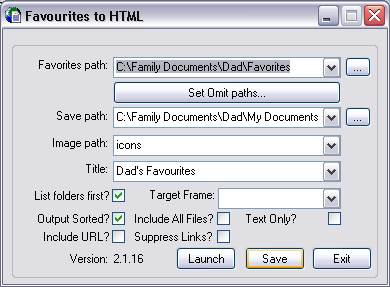
Load the file created into Internet Explorer to see the results.
For the correct appearance of the resulting document, the gif icons need to be placed in the Image Path directory that you select. To use the resulting document on a web server, the Image Path should be entered relative to the save path. These images can be found in the installation directory.
Other features include selection of sub-folders to be omitted from the output, order in which the folders appear and display of URL in addition to the friendly name.
The program can also be run as a batch command using a configuration file. Details can be found in the readme document included with the program.
Tuesday, 30th March 2010 15:38



